Back to the blog

Wedding photos for guests only: who sees the gallery and how to lock it

Who can get into your wedding gallery, why Google can't find it, how to lock it with your own PIN and how to delete a photo you'd rather not show.

By Jan Szotkowski · October 30, 2026 · 3 min read
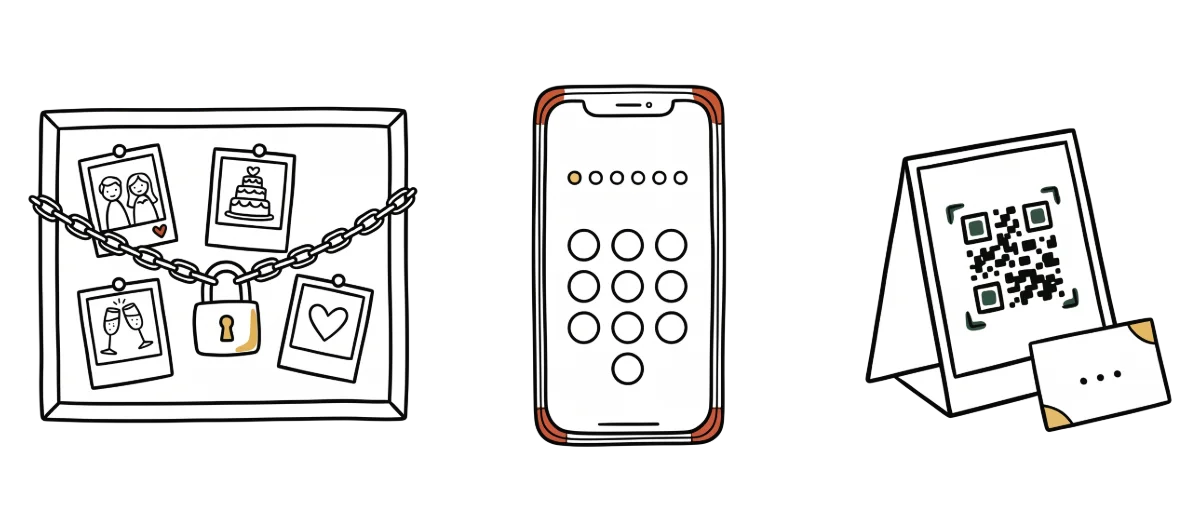
Before the wedding your cousin asks who exactly will see the photos of her children, and you want to answer with confidence. A QR code gallery is private, but it helps to know who can get into it and when to lock it with a PIN.

In short

  • Only someone with the link or the QR code can open the gallery. Nobody finds it through Google.
  • Anyone with the link sees every photo. If you don't want someone to open the gallery just because the link was forwarded to them, turn on a PIN.
  • A photo you'd rather not show, you delete from the gallery. All photos are stored on servers in the EU and we never hand them to anyone.

Guests get into the gallery only through the link or the QR code on the table. The guest page tells search engines not to index it, so it never shows up in Google results and nobody stumbles on it by chance.

Anyone who opens the link sees the gallery with every photo the guests have uploaded. At a wedding that's usually what you want, because guests look through each other's photos and add more. Just keep in mind that a link posted in the wedding group chat can be forwarded further.

Turn on a PIN when there will be small children or colleagues from work at the wedding, or when you simply don't want anyone outside the wedding to see the photos. You set your own 6-digit PIN and guests enter it before the gallery opens. Without it they can't get to the photos, even if they have the link.

  1. In the event details, open Guest access, tap Enable PIN and choose six digits.
  2. Write the PIN on the card next to the QR code, because the code doesn't contain it.
  3. For guests you send the link to by message, put the PIN in the same message.

The PIN is part of Premium, and you can change or turn it off at any time. The price is on the pricing page.

Tip: If you send the link after the wedding to guests who weren't at the tables too, keep the PIN on. Whoever got it from you opens the gallery, and whoever found the link somewhere else doesn't.

A photo you don't want to show, you delete

In the event gallery you see every photo the guests uploaded, and you can delete any of them. That's handy for blurry shots, and also for the photo you know the bride wouldn't like.

We store all photos encrypted on servers in the EU, never sell them or hand them to anyone, and they belong to you. In the event details you see how long the gallery stays open and when it will be deleted. More about how we protect your data is on the Security page.

Create your gallery and try the PIN before you print it on the cards. It takes about a minute, and you can start for free.

Create a free gallerydone in 1 minute

Common questions

No. The guest page tells search engines not to index it, so only someone with the link or the QR code gets into the gallery.

Yes, anyone who opens the gallery sees every uploaded photo. If you want only your guests to open it, turn on a PIN.

Yes. In the event gallery you can delete any photo, one at a time or several at once.

The photos from your next event don't have to stay stuck on guests' phones.

Setup takes a minute. Guests get a QR or link, no app, no chase afterwards.

Create your gallery free

Guests need no app · Set up in 1 minute